
How to Keep Your Main Number Active While Using a Travel eSIM
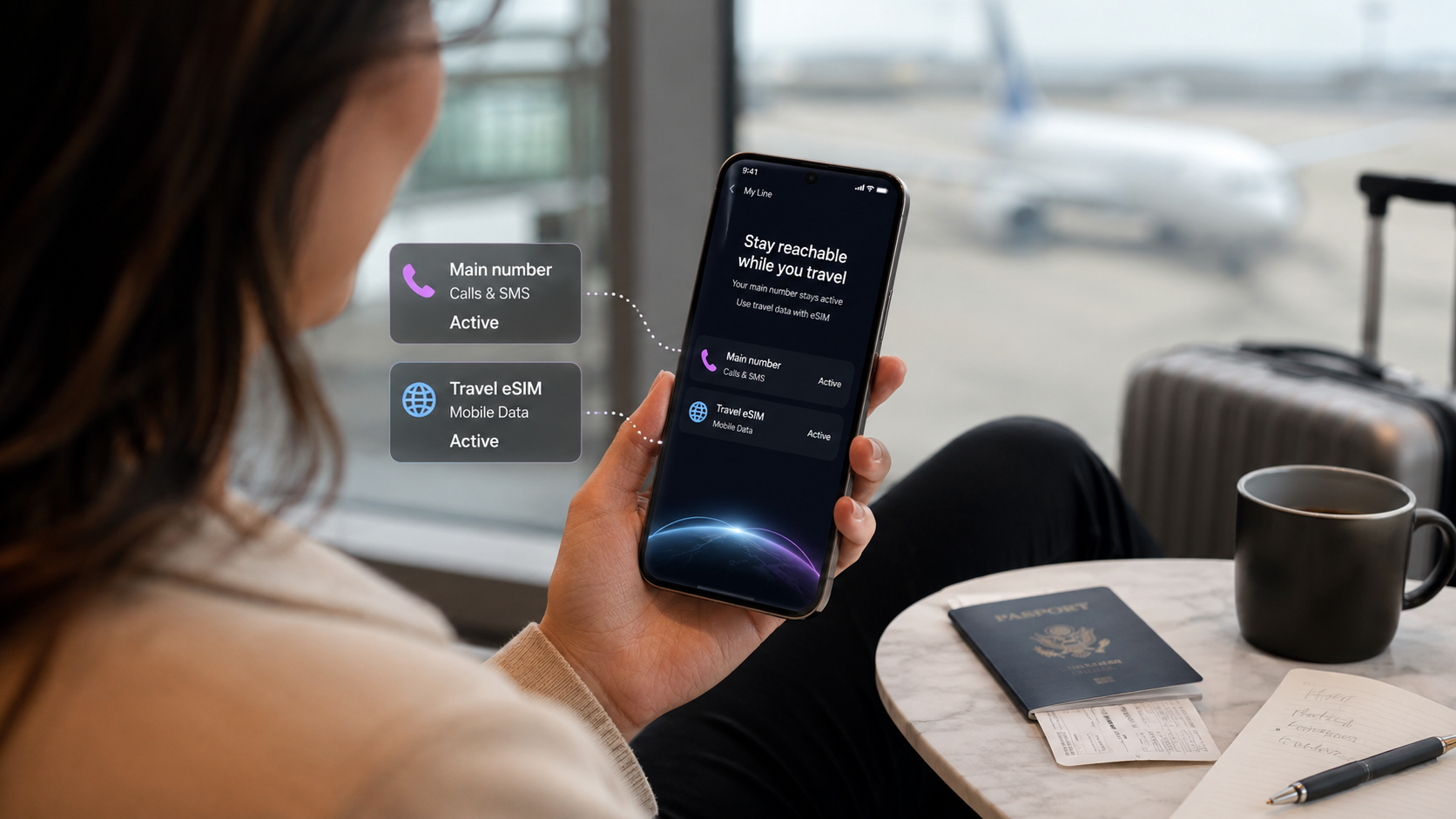
Traveler using a smartphone with main number active while connected to a travel eSIM
How to Keep Your Main Number Active with a Travel eSIM
Traveling abroad but worried about losing access to your regular phone number?
Many travelers rely on their main number for WhatsApp, banking verification, work calls, family communication and important messages. Changing SIM cards or switching providers can make international travel feel unnecessarily complicated.
Fortunately, you can often keep your main number active with a travel eSIM while using a separate mobile data plan abroad.
With a compatible Dual SIM smartphone, your regular SIM can remain available for calls and messages while your travel eSIM provides internet access.
This guide explains how the setup works, how to configure it on iPhone and Android, what happens to WhatsApp and how to reduce the risk of unexpected roaming charges.
Can You Keep Your Regular Phone Number with a Travel eSIM?
Yes. Many compatible smartphones allow you to keep your existing number active while using a travel eSIM for mobile data.
You don't need to transfer your regular number to the travel eSIM.
Instead, your phone can use two mobile plans:
- Main SIM: Your existing telephone number for supported calls and messages.
- Travel eSIM: Mobile data through the networks included in your international plan.
This is especially useful for people who want to stay reachable without relying on their home provider's potentially expensive data roaming.
However, using two SIMs doesn't automatically make calls or SMS on your main number free.
Your regular mobile provider's roaming conditions still apply.
How Does Dual SIM Work When Traveling Abroad?
Dual SIM allows compatible phones to manage two mobile subscriptions.
Depending on the device, you may use a physical SIM alongside an eSIM or two active eSIMs.
You can often choose one line for regular calls and messages and another for mobile data.
For example:
Phone function | Recommended setup |
|---|---|
Existing phone number | Main SIM |
Mobile internet abroad | Travel eSIM |
Keep existing account number | |
Maps and browsing | Travel eSIM data |
Regular calls and SMS | Main SIM, subject to provider charges |
Laptop hotspot | Travel eSIM data |
Your phone's exact capabilities depend on the model and supported Dual SIM features.
How to Keep Your Main Number Active on iPhone
On a compatible iPhone:
- Open Settings → Cellular or Mobile Data.
- Confirm that both your main SIM and travel eSIM are installed.
- Give the lines recognizable labels, such as Personal and Travel.
- Open Cellular Data and select your travel eSIM.
- Choose your main number as the default voice line if appropriate.
- Review Allow Cellular Data Switching. Turn it off if you want to avoid automatic data usage on your main SIM.
- Open your main line's settings and review data roaming.
- Enable roaming on the travel eSIM only if required by its instructions.
You can leave your main line active for calls and SMS, but this may still trigger charges.
Apple provides detailed instructions for using Dual SIM with an eSIM.
How to Keep Your Main Number Active on Android
On a Samsung Galaxy device:
- Open Settings → Connections → SIM manager.
- Confirm your main SIM and travel eSIM are enabled.
- Choose your travel eSIM for mobile data.
- Select your preferred line for calls and messages.
- Review data roaming settings.
On Google Pixel, similar options are generally available under Settings → Network & internet → SIMs.
The menus vary by manufacturer and software version.
If your device uses a single global roaming switch rather than separate controls, follow the specific instructions for your phone and mobile provider.
Can You Keep Your WhatsApp Number with a Travel eSIM?
Usually, yes.
WhatsApp uses your registered phone number as an account identifier, but it can send and receive messages over an internet connection provided by a different SIM.
For example, you can retain your regular WhatsApp account while using a duasim travel eSIM for mobile data.
You generally do not need to change your WhatsApp number or create a new account.
However, if you reinstall WhatsApp, change phones or need to verify your account again, access to your registered number may still be important.
Other apps such as Telegram, iMessage and FaceTime have their own account and number settings.
Check those settings before traveling if you depend on them.
Will You Still Receive SMS Verification Codes Abroad?
Potentially, yes, if your main line remains active, can register on a supported network and your provider allows the service.
This can be particularly useful for banking, account verification and authentication messages.
However, SMS delivery isn't guaranteed in every country.
Some services may restrict international verification, and your home provider may have different roaming charges or technical limitations.
Before departure, consider setting up additional authentication methods such as an authenticator app or passkeys where available.
Do not rely solely on receiving an SMS abroad to access critical accounts.
How to Avoid Roaming Charges While Keeping Your Number
Keeping your main number active and avoiding all roaming charges are not the same thing.
A home SIM can still incur charges for outgoing calls, certain incoming calls, SMS or other activity depending on the contract.
To reduce the risk:
- Select your travel eSIM as the mobile data line.
- Disable mobile data roaming on your main SIM where supported.
- Consider disabling automatic data switching.
- Check your home provider's call and SMS rates.
- Use internet messaging and calling apps when appropriate.
- Review the settings before crossing international borders.
Be especially careful about Wi-Fi Calling. Depending on the operator, calls made through Wi-Fi Calling or a second SIM's data connection may still be billed under your home line's terms.
Read our guide to avoiding roaming charges abroad for further advice.
Can You Share Travel eSIM Data Through Hotspot?
Yes. duasim supports hotspot and tethering, allowing you to share your travel eSIM's mobile data with compatible devices.
For example, you could keep your main phone number active while using the travel eSIM to connect a laptop.
On an iPhone, Personal Hotspot normally uses the line selected for mobile data.
This makes choosing the correct data line particularly important.
Remember that laptop usage and other connected devices consume the travel eSIM's data allowance.
For setup instructions, read our guide to using hotspot with a travel eSIM.
What About Keeping Your Number Active on Cruise Ships?
Cruise ships introduce an additional roaming risk.
Some ships operate maritime cellular networks that are separate from ordinary national mobile networks.
Your main SIM may connect to one of these services if cellular connectivity remains enabled.
Charges for maritime calls, messages or mobile data may differ significantly from land-based roaming.
If you don't intend to use maritime cellular service, enable airplane mode while sailing and turn Wi-Fi back on for the ship's onboard internet.
Be aware that airplane mode temporarily disconnects ordinary cellular service, so your main number generally won't be reachable through regular cellular calls or SMS.
You can use a supported travel eSIM again after arriving in a covered port.
Read does an eSIM work on cruise ships? for more information.
What If Your Travel eSIM Isn't Working?
If you don't have mobile internet abroad, check whether the travel eSIM is enabled and selected for data.
Then confirm:
- The destination is included in your plan.
- The data allowance and validity remain available.
- Data roaming is configured according to the travel plan's instructions.
- Your phone has access to a supported local network.
Try briefly enabling airplane mode and restarting your device.
Do not delete an installed eSIM without following your provider's instructions.
For step-by-step help, read our travel eSIM troubleshooting guide.
FAQ: Keeping Your Main Number with a Travel eSIM
Can I use my existing number and travel eSIM at the same time?
Yes, on many compatible Dual SIM phones. Your regular number can remain active while the travel eSIM provides mobile data.
Will I lose my WhatsApp conversations?
Normally not. Adding a data eSIM does not automatically change your WhatsApp account number or delete your conversations.
Can I receive calls on my main number?
Often, yes, provided your home line remains active and service is available. Roaming fees may apply.
Does a travel eSIM change my phone number?
A data-only travel eSIM generally does not replace or transfer your existing number.
Can I use hotspot while keeping my home SIM active?
Yes, with a compatible phone. duasim supports hotspot, and the travel eSIM should be selected for mobile data.
Should I disable my main SIM completely?
That depends on whether you need conventional calls and SMS. Disabling it reduces the risk of home-line roaming activity but may also make your regular number unavailable.
Conclusion: Keep Your Main Number and Use Travel Data Abroad
You can often keep your main number active with a travel eSIM using a compatible Dual SIM smartphone.
The key is to separate your existing calling and messaging line from the line used for mobile data.
This lets you stay connected to familiar services while using prepaid travel data abroad.
Before departure, check your phone's compatibility, review your main provider's roaming terms and configure the correct mobile data line.
Planning your next trip? Explore duasim eSIM plans and prepare mobile data abroad while keeping your regular number available when needed.